
 加载中…
加载中…eclipse安装e(fx)clipse插件
 (2017-07-14 08:41:30)
标签:
javaeclipsee(fx)clipse插件安装 |
分类: Java学习 |
1、下载最新版本:
http://www.eclipse.org/efxclipse/e4_install_step1.png

2、打开安装成功的Eclipse
http://www.eclipse.org/efxclipse/e4_install_step2.png

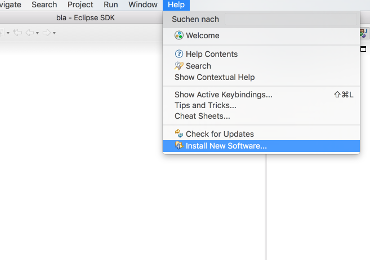
3、点击“help->Install New Software…”
http://www.eclipse.org/efxclipse/e4_install_step3.png
4、Eclipse不知道e(fx)clipse
p2资源库位置,所以你需要添加软件资源站点。地址:
http://www.eclipse.org/efxclipse/e4_install_step4.png

5、检查列表中对应版本:e(fx)clipse - IDE
另外,确保“Contact all update sites during install to find required
software”是选中的。
http://www.eclipse.org/efxclipse/e4_install_step5.png

6、当到这一步是,证明你已经下载成功,点击同意,next
http://www.eclipse.org/efxclipse/e4_install_step6.png

7、安装完成,重启Eclipse
http://www.eclipse.org/efxclipse/e4_install_step7.png

喜欢
0
赠金笔
前一篇:对象解耦和设计模式
后一篇:对Maven工具的详解